
Grok Bot vs ChatGPT Dots: What Each One Does, What It Costs, and Which to Pick
By Faisal Khan
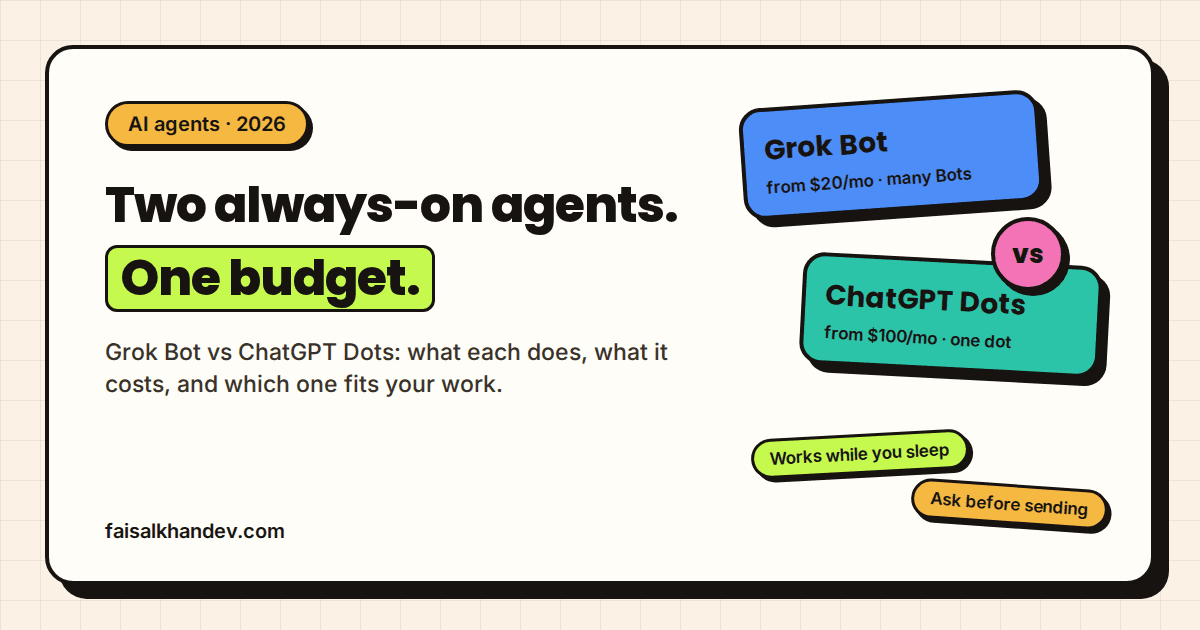
Seven weeks apart, the two loudest AI companies shipped the same idea. xAI put out Grok Bot in August. OpenAI answered with ChatGPT Dots at the end of September. Both are agents that get their own computer in the cloud and keep working after you close the app.
So which one is worth paying for? I build custom AI agents for clients, and this is the question I'm already getting. My honest take on Grok Bot vs ChatGPT Dots: they do roughly the same job, but they cost very different amounts to get into, and they're built for different kinds of people. Price and where you already work should decide it, not the launch hype.
What Grok Bot and ChatGPT Dots are
Grok Bot and ChatGPT Dots are always-on AI agents that each run on a dedicated cloud computer, sign in to your apps and websites, and keep working on a task after you close the chat. Grok Bot is made by xAI (now SpaceXAI) with Cursor. ChatGPT Dots is made by OpenAI and runs on GPT-6 Astra.
That's the key difference from a normal chatbot. A chatbot answers when you ask and forgets the job when you leave. These two hold a role, remember past work, and come back to you only when they need a decision. If that distinction is new to you, I wrote a longer breakdown in AI agent vs chatbot.
Grok Bot launched in beta on August 11, 2026. xAI calls the Bots "AI teammates you can give real work to." Each Bot gets a screen on a persistent cloud computer with a browser, a file system, and a terminal, according to xAI's Grok Bot docs. You can teach it a task by recording yourself doing it, and it saves that as a reusable skill.
ChatGPT Dots were announced at OpenAI DevDay on September 29, 2026, as VentureBeat reported. A dot gets its own cloud computer and browser, connects to more than 4,000 apps through plugins, and learns your preferences over time. You can message or call it in ChatGPT, or message it from Slack and Microsoft Teams.
What each agent can actually do
Both agents can browse websites, use apps you connect, work with files, and finish multi-step tasks without you watching. The differences show up in how many agents you get, where you talk to them, and how they handle sites that have no clean integration.
Grok Bot leans on the computer itself. xAI says Bots can work across "apps, tools, and websites, including platforms with no clean API or MCP." In plain terms: if a human can click through it in a browser, a Bot can try. You can run several Bots at the same time, and they can talk to each other in group chats. The catch, from xAI's FAQ: all your Bots share one cloud computer, and each Bot can run one computer-use task at a time.
Dots lean on integrations. That 4,000-app plugin list is the selling point, and it matters if your team runs on mainstream SaaS. OpenAI also shipped ChatGPT Space alongside Dots, a shared workspace where people and agents edit the same pages, and it replaces Library for Pro, Business, and Enterprise users. At launch you get one primary dot. TechCrunch's launch coverage says OpenAI's longer-term plan is teams of dots working together, but that's not what ships today.
Honestly, "4,000 apps" versus "anything with a browser" is the most useful way to think about the split. Integrations are more reliable. Browser automation reaches further but breaks more, and xAI's own docs warn that some sites block automation, expire sessions, or ask for a human.
Grok Bot vs ChatGPT Dots: side-by-side comparison
Grok Bot is the cheaper and more flexible option to start with, while ChatGPT Dots costs more but comes with a bigger app catalogue and deeper ties to ChatGPT and Microsoft Teams. Here is how the two compare on the points that decide a purchase.
| Grok Bot | ChatGPT Dots | |
|---|---|---|
| Maker | xAI / SpaceXAI, with Cursor | OpenAI |
| Launched | August 11, 2026 (beta) | September 29, 2026 |
| Cheapest way in | Cursor Pro, $20/month | ChatGPT Pro, from $100/month |
| Agents per account | Several Bots, run in parallel | One primary dot at launch |
| How it reaches your tools | Connectors plus browser and terminal on a cloud computer | 4,000+ app plugins plus its own cloud browser |
| Where you talk to it | Desktop app (macOS, Windows, Linux), iOS, Android | ChatGPT web, desktop, mobile, Slack, Teams |
| Teaching it a task | Record a workflow, saved as a reusable skill | Learns from feedback and existing ChatGPT memory |
| UK and EU availability | No regional exclusion stated | Not on Pro in the UK, Switzerland, or EEA; Business Premium only |
Grok Bot vs ChatGPT Dots pricing: what each costs
Grok Bot costs nothing extra on top of an eligible plan, and the cheapest eligible plan is Cursor Pro at $20 a month. ChatGPT Dots also costs nothing extra for your first dot, but the cheapest eligible plan is ChatGPT Pro, which starts at $100 a month.
On the Grok side, xAI expanded access on August 26, 2026 to SuperGrok, SuperGrok Plus, SuperGrok Heavy, Cursor Pro, Pro+, Ultra, and Cursor Teams. Cursor's pricing page lists Pro at $20 a month and Teams at $40 per user per month, both with Grok Bot access. SuperGrok is $30 a month and SuperGrok Plus is $100, per The Rundown's Grok Bot review. Bot usage is separate from your normal Grok or Cursor limits, resets weekly, and anything beyond the weekly allowance is billed on demand by model and tokens.
On the OpenAI side, your first dot is included with Pro or Business Premium. Pro is sold in a $100 tier and a $200 tier, according to AIPricing.guru's ChatGPT tracker (checked October 1, 2026). Business Premium is $100 per seat per month on annual billing or $125 monthly, per IntuitionLabs' August 2026 plan comparison. OpenAI says you'll later be able to pay a flat monthly fee for more dots, but hasn't published that price, and it hasn't published the usage allowance either.
So for a solo founder or freelancer who just wants to try an always-on agent, Grok Bot is five times cheaper to get into. That gap closes fast for a business already paying for ChatGPT Business seats.
Which one is safer with your accounts
Neither agent is safe by default, and both makers say so in their own way. Both give you approval rules, and both stop for things like passwords. The real risk is the same for both: an agent that reads your inbox can also be tricked by what's in your inbox.
Dots ship with Custom Rules that set each action to run freely, run if pre-approved, ask first, or hand off to you. OpenAI also added an activity view, an auto-review step for consequential actions, and a read-only mode for background research. Grok Bot has "Ask first" rules, and xAI's FAQ tells you to set them for sending, publishing, deleting, and purchasing. Passwords, two-factor codes, and CAPTCHAs go to a human on Grok Bot.
One detail worth knowing: all your Grok Bots share one cloud computer, logins, and browser sessions. Convenient, but it means one confused Bot can touch what another one signed in to. I'd keep a separate, low-privilege account for any Bot that reads untrusted email or web pages. I go deeper on this in what can go wrong with AI agents.
How to choose between Grok Bot and ChatGPT Dots
Choose by the tools you already pay for and the job you want handed off, not by the model benchmark. Run through these in order.
- Check what you already pay for. If you have Cursor Pro or SuperGrok, Grok Bot is already included. If you have ChatGPT Pro or Business Premium, your first dot is. Try the free one first.
- Check your region. In the UK, Switzerland, or the EEA, Dots on a personal Pro plan isn't an option right now. Grok Bot or a Business Premium seat are.
- List the apps the job touches. Mainstream SaaS with good integrations favours Dots. Old internal portals, government sites, or anything without an API favours Grok Bot's browser-first approach.
- Decide if you need more than one agent. Several agents working in parallel is something Grok Bot does today. Dots promises it later.
- Set approval rules before the first real task. Block sending, publishing, deleting, and buying until you trust it. Loosen one rule at a time.
- Know when neither fits. If the job runs on your own database, needs to answer to your audit trail, or must work for your customers rather than you, a consumer agent is the wrong tool. That's when a custom AI agent built on your own stack makes more sense.
That last point is where I spend most of my time. Grok Bot and Dots are personal assistants that happen to be very capable. They act as you, inside your accounts. A business process that has to run the same way every time, log every step, and not depend on one person's subscription is a different thing to build. If you are weighing that route, hiring an AI agent developer covers what to ask before you commit.
Is Grok Bot better than ChatGPT Dots?
Grok Bot is not better across the board, but it is cheaper to start and lets you run several agents at once today. ChatGPT Dots has the larger app catalogue, Slack and Teams messaging, and finer approval rules. For most solo users Grok Bot is the easier trial, while ChatGPT-heavy teams will get more from Dots.
Can I use ChatGPT Dots for free?
ChatGPT Dots are not available on the Free or Plus plans. The first dot is included at no extra cost with ChatGPT Pro, which starts at 100 dollars a month, or with a Business Premium seat. Enterprise, Edu, and Healthcare workspaces can try the beta when an admin turns it on.
Do Grok Bot and ChatGPT Dots work while my computer is off?
Grok Bot and ChatGPT Dots both keep working while your laptop is closed, because each one runs on its own computer in the cloud rather than on your device. You start or steer the task from the app, then the agent continues and messages you when it finishes or needs an approval.
Should a business use Grok Bot or Dots instead of a custom AI agent?
A business can use Grok Bot or Dots for one person's repeated tasks, like research, inbox triage, or updating a CRM. For processes that touch customer data, need an audit trail, or must run the same way for the whole team, a custom agent connected to your own systems is the safer and more predictable choice.
Where to start
Grok Bot and ChatGPT Dots are the same idea at two price points. Start with whichever one is already in a plan you pay for, give it one boring, repeated task, and lock down its permissions before it touches anything important. If the job turns out to be bigger than one person's assistant, get in touch and I'll tell you honestly whether it needs a custom build.